
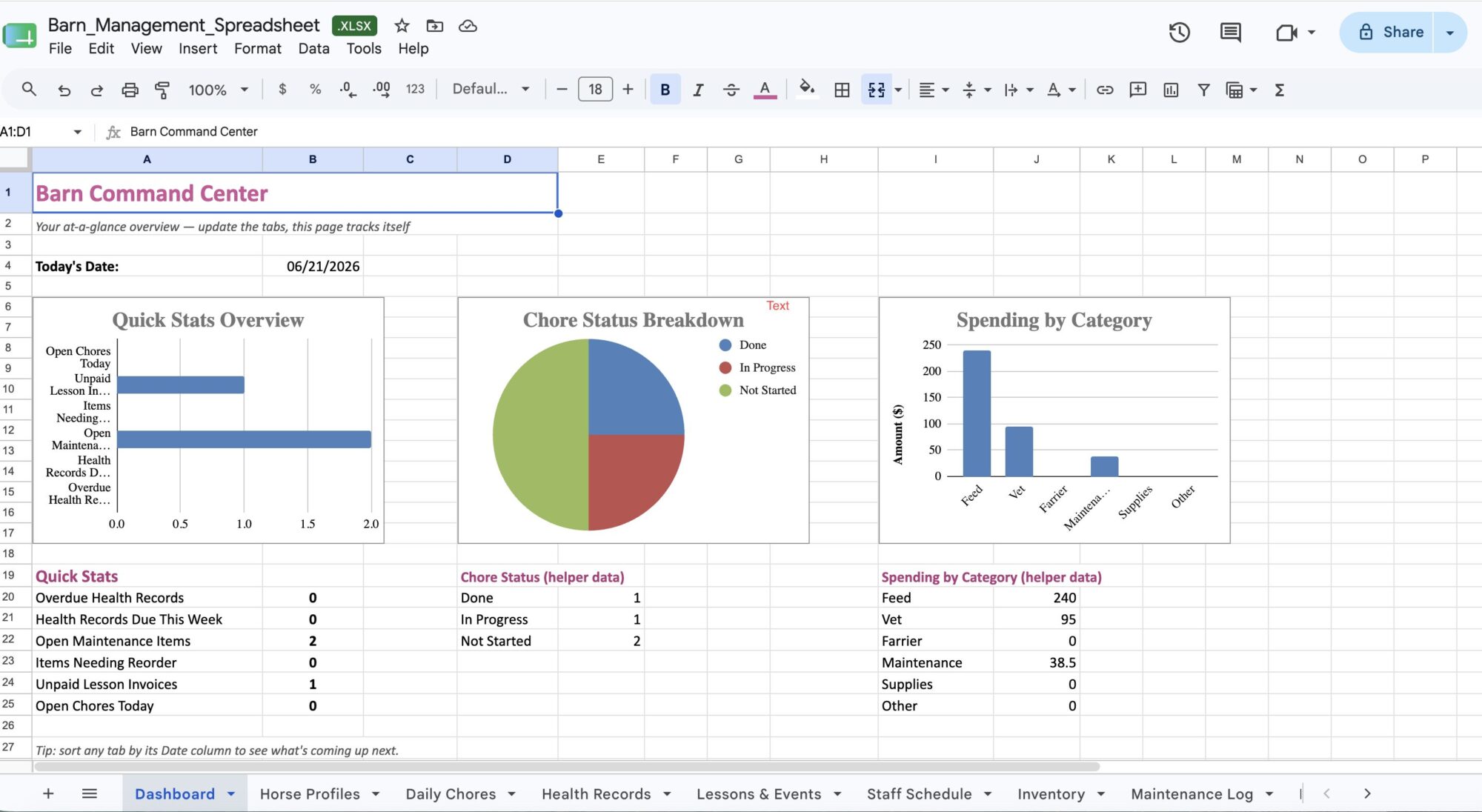
There’s a specific kind of overwhelm that comes with managing a barn — even a small backyard setup with two horses, a daughter’s lesson schedule, and a part-time helper. It’s not any one task that gets you. It’s the sheer number of things living in your head at once: who’s feeding when, whose vaccination is due, whether the hay order went out, whether Maya’s mom actually paid for last month’s lessons.
I tried sticky notes. I tried a notes app. I tried a paper planner that looked great for exactly nine days. None of it stuck, because none of it talked to each other — I was just managing five disconnected lists instead of one overwhelming one.
Where the Idea Actually Came From
I was poking around Etsy looking for organization templates — not even horse-related, just generic project management spreadsheets — and found one built for business teams: task tracking, dashboards, the works. And I had this moment of, wait, a barn is basically a small business with a chaotic, four-legged supply chain. Horses instead of projects. Chores instead of tasks. A feed budget instead of an operating budget.
So I took the bones of that idea and rebuilt it from scratch for actual barn life.
What’s Actually In It
It’s a 9-tab workbook, and every tab is something I genuinely needed, not something that sounded good in theory:
- Dashboard — the only tab I open most days. It auto-pulls from everything else and tells me what’s overdue at a glance.
- Horse Profiles — every horse’s vet, farrier, and quirks in one place instead of three different texts I have to scroll back through.
- Daily Chores — who’s doing what, with a status dropdown so I’m not guessing if the stalls actually got done.
- Health Records — this one alone has saved me from a missed vaccination. It flags overdue items in red automatically.
- Lessons & Events, Staff Schedule, Inventory, Maintenance Log, Budget & Expenses — every other piece of the puzzle, all linked back to that one Dashboard.
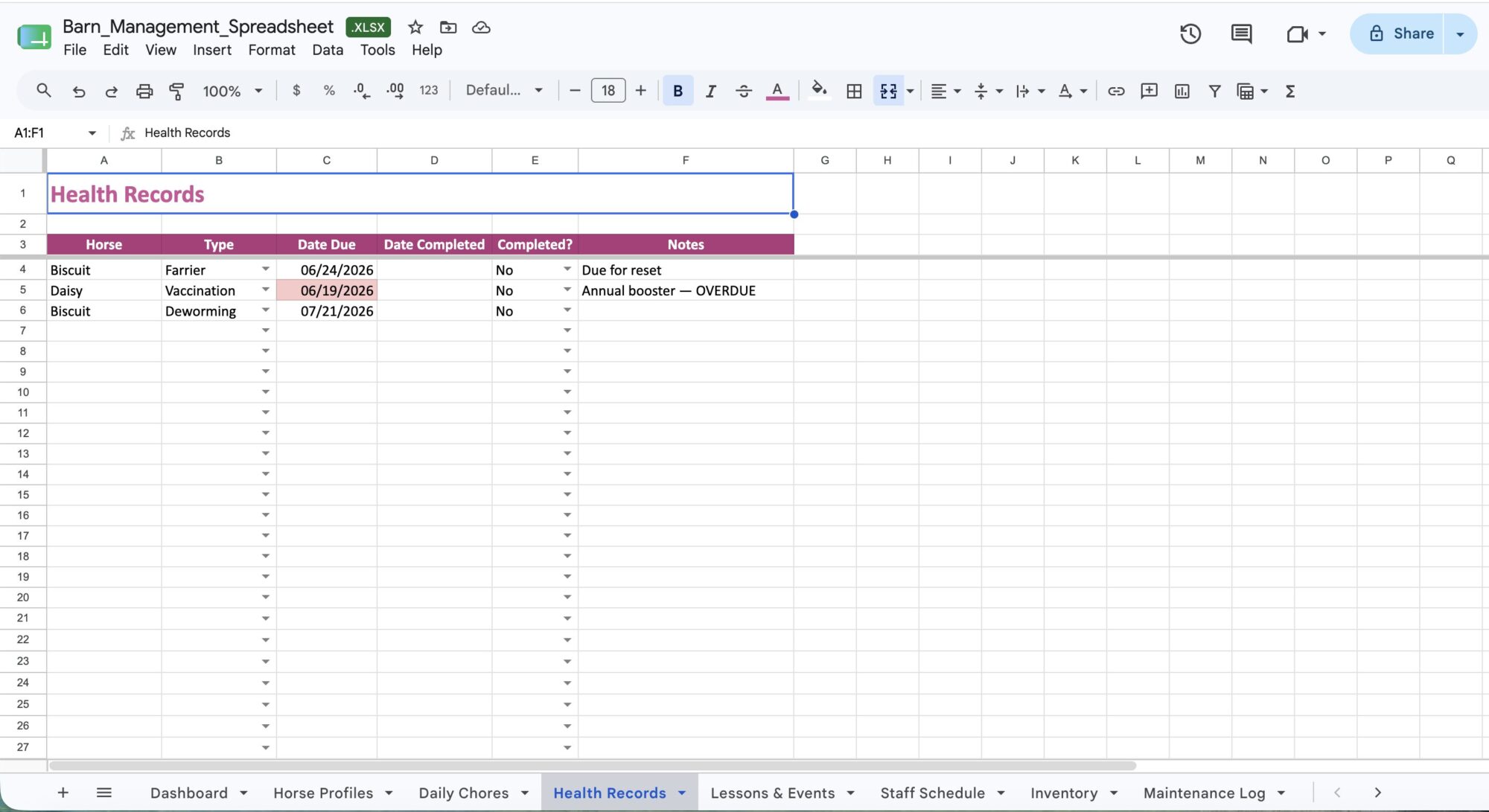
Excel or Google Sheets — Whichever You Actually Use
I built it as a real spreadsheet file, not a picture of one, so it opens natively in both Microsoft Excel and Google Sheets. I personally live in Google Sheets because I can pull it up on my phone in the barn aisle, but if you’re an Excel household, it works there too.
Why I Decided to Sell It
I built this entirely for myself first, the same way the checklist bundle started. But the more barn moms I talked to, the more I realized almost none of us have a system that actually works — we’re all just quietly drowning in slightly different ways. So I cleaned mine up, filled it with sample data so it’s obvious how to use it right out of the box, and put it on Etsy.
If you’ve got more than one horse, a couple of helpers, or a kid in lessons, this is the thing I wish someone had handed me two years ago.
Also a Genuinely Good Gift
If you know a barn mom who’s drowning in sticky notes — boarding barn manager, small lesson program owner, or just a friend with too many horses and not enough hands — this is a gift that actually solves a problem instead of collecting dust. It’s an instant download, so there’s nothing to wrap, but it’s the kind of gift that gets opened and used the very same day.
Get the Barn Management Spreadsheet
9 tabs, real formulas, instant download — works in Excel and Google Sheets.